
Amazing Photoshop Tutorials
8
One day, I asked myself when we will stop learning Photoshop, I have been a graphic design for 10 years and every day I learn new tips and tricks. Here is the fact, we will not stop learning. Learning resources can be the tool itself or the Photoshop tutorials that is shared by others out there.
I collected this morning some amazing Photoshop tutorials from different resources. I try to add a new useful tutorial post on a daily basis, so you can join Graphic Mania News Updates to not miss a single resource and receive it direct to your email address. Try our news updates, share it and forward it to your friends in work or school.
Art History Brush Tutorial
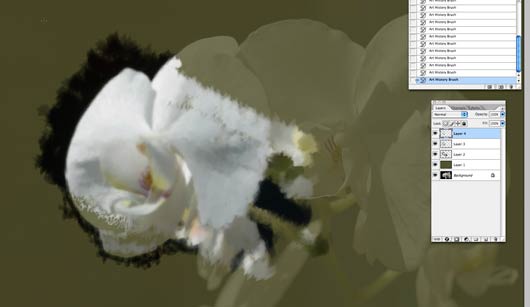
Many Photoshop users may miss the great effects that they can create with the Art History Brush, in this Art History brush tutorial one sample of what you can do with this way cool Photoshop feature.
Give Your Photos a Retro Comic Book Effect
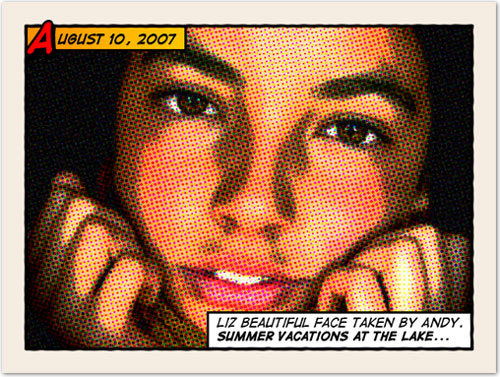
Part of the really amazing Photoshop tutorials, these tutorials that let you create artwork effects out of a real photograph without the need to know any drawing skills.
Feng Shui – the magic of perfection

This tutorial lets you create a Feng Shui shape using Photoshop directly without any needed knowledge of Adobe Illustrator.
2009 Calendar – Year of the OX
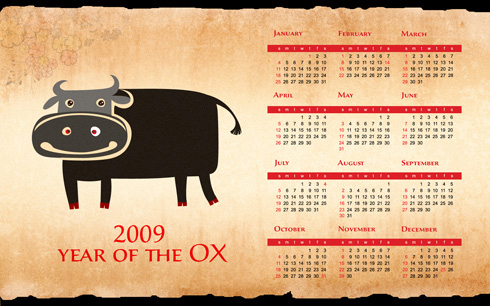
In this Photoshop tutorial, you will learn how to create your own calender with your own design, it is a very nice idea to promote to your design and your skills among your friends and site. Go ahead, and start creating alot of calenders that people can use and remember your work.
How to make car desktop wallpaper
You can use this tutorial as a base for you to leanr how to create a wallpaper for your desktop, you can use this tutorials to create desktop wallpapers that is based on your own objects, designs…etc.
How To Create a Realistic Golden “Bling” Text Effect

Our last tutorial in the collection is a Photoshop text effect tutorial. This new text effect idea creates a very nice text effect.




Great list.
Great tutorial, although a wee bit hard to follow at points, it?s a clear and thoughtful tutorial. Keep it up.
Sup? thanks for this brilliant tutorial. The tutorial helped me improving my skills a little bit more. It’s always awesome to get some formidable inspiration and I hope to find more of such posts here sometimes because nobody will ever stop learning new things. Keep on