
Creative Color Effects Photoshop Tutorial
4.jpg)
In that photoshop tutorial you will learn how to Give your photos a special mood by creating various color effects! All adjustments from the preview were done with a single tool – CURVES. Curves is perhaps the most flexible and powerful Photoshop tool for working with tones and contrast. And surely, it’s the best one to create attractive color adjustments for photos.
This is the original image.
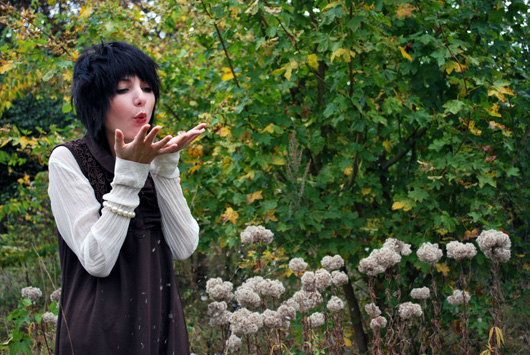
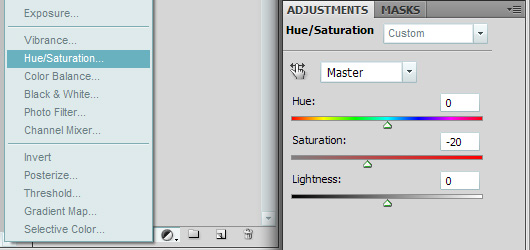
Very pretty, but a bit too saturated. So I decreased its saturation to accentuate the color adjustments that will follow and avoid excessive brightness. Do as it’s shown below to decrease the saturation.
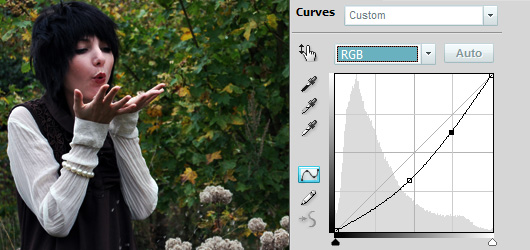
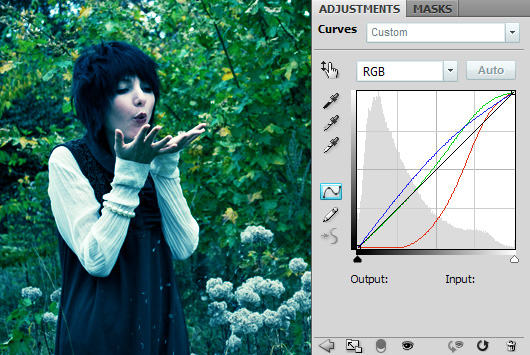
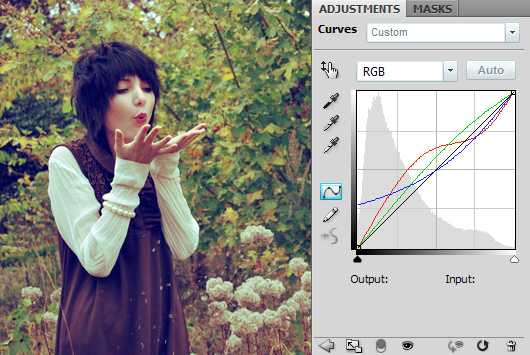
1. To add green-cyan hue to the image (it’s 1st from the right on the preview), we’ll work with all channels.
First, edit the curve for the entire image. I dragged it down, so the picture became darker. It looks ugly at this point but it will be balanced by editing other channels.
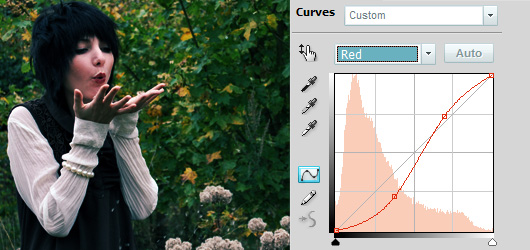
2. Then comes the red channel. It’s not necessary to edit the channels in this order, and you can create as many adjustment layers as you want. I usually have up to 10 of them when editing an image.
I changed the curve a bit into an S-shape, so there will more red on highlights (the skin, the sleeves, the flowers) and less of it in the shadows (all dark parts of the image). The opposite of red is cyan, so by decreasing red we increase cyan.
3. Next channel is green. We will strongly increase green in midtones. Simply drag the curve upwards and the photo now has a yellowish-green hue. We’re one step closer to the final result.
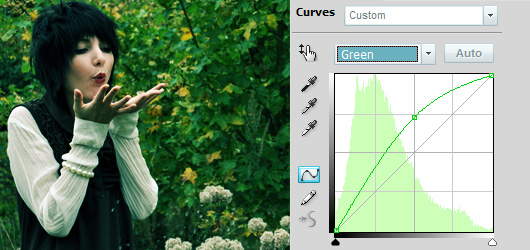
4. Last channel is blue. We increase blue in the shadows to add a cyan hue (just as was claimed before) and preserve it in highlights.
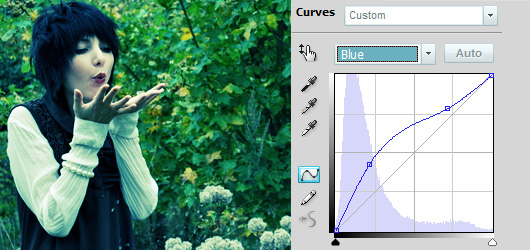
Result:
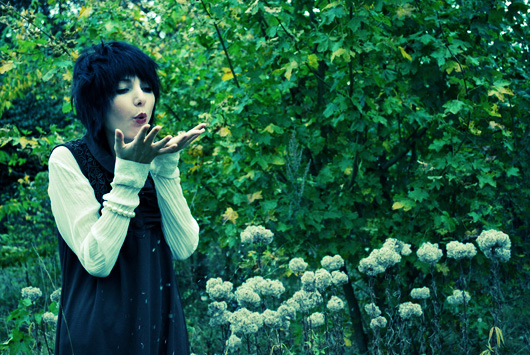
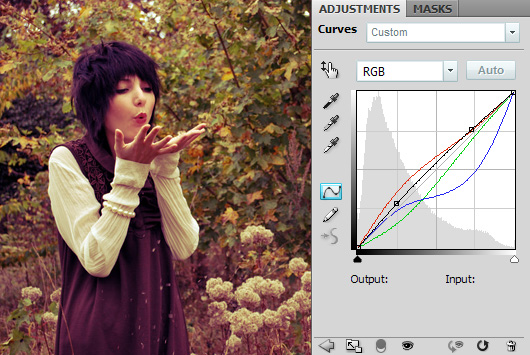
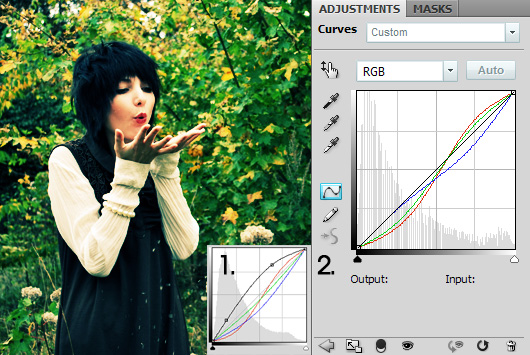
5. Ready! Now you’ve understood how the Curves tool works and can create your own adjustments. For example I put some examples of the hues from the preview, with explanation of curves.
I used this stock picture for the article. Thanks.

Download the PSD file with the original image and Curves adjustment layers.

[…] Read the original here: Creative Color Effects Photoshop Tutorial | Flash, Design, Vector … […]
[…] reading here: Creative Color Effects Photoshop Tutorial | Flash, Design, Vector … Share and […]
amazing and short way for color effects.
.-= Dzinepress´s last blog ..60 Breathtaking Dual and Widescreen wallpapers for your Desktop =-.
thank you, you really helped me 😀