
Apply CSS to Flash Dynamic Text
1
In this weeks tutorial I will be showing you how to import a text file, adding css to the text, and displaying this in flash with scrolling content as well. Lets get started.
Related posts:
- Create Your First Android AIR App in Flash
- How to Create a Snake Game in Flash Using AS3
- Creating Reflection in Flash Using AS3
- Bitmap Data Manipulation in Flash ActionScript 3
- Creating and Controlling Flash Animation with XML
- How to Build a XML Driven Quiz Application in Flash
- Approach to Understand XML and Flash Workflow
See the application in action (the text is taken from Adobe Labs, and I picked this text because everybody is excited about the iPhone coming to Flash CS 5, right?)
First create a new flash AS 3 document

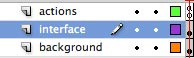
add three layers, call them – background, interface & actions
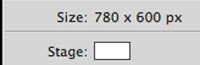
Make the stage width 780px by 600px.
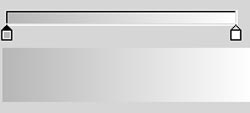
For the background layer take the rectangle tool make a section of the entire stage, and create a gradient fill with grey and white, with a 2 point dotted fill . I used #B7B7B7 convert to a movieclip(right click convert to symbol->movieclip) call it background. I also added a multiply effect and a slight drop shadow.Lock the background layer.
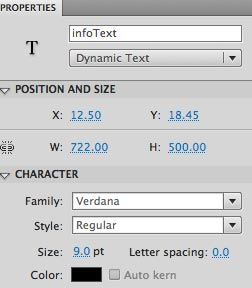
create a dynamic text field to cover 90% of the stage (722 X500). Give the text field an instance name of infoText.
now grab the scroll bar comment (Window>Component>UIScrollBar)

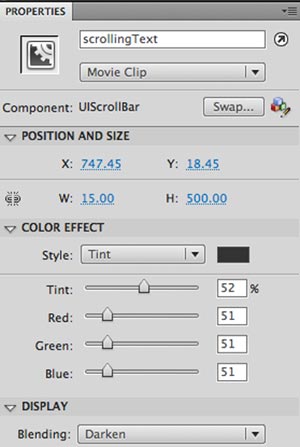
add this component to the right of the text field, give it a height of 500, and an instance name of scrollingText. Also I am using some tint properties, and “Darken” to change the appearance of the scroll bar. You can leave your values by using the default, or you can use these as we. I suggest that you play with these properties, as it is an easy way to change the appearance of the scroll bar.
I also changed the highlight bar. If you double click on the UIScrollbar movie clip inside the component, you can modify the properties.

(maybe this will be another tutorial on how to do this)
Now we are done with the interface,and will start to add the CSS file and Text file.
CSS File:
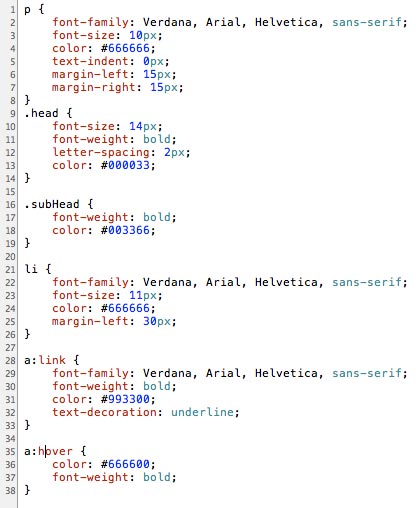
in flash you can only add pretty basic CSS properties,and below is the css file which is called styles.css. There are some basic properties for the basic tags
p- paragraph (main text)
head- main header
subHead- sub headings
a:link,a:hover – css styles for the links
li – styles for the bullets
Text File:
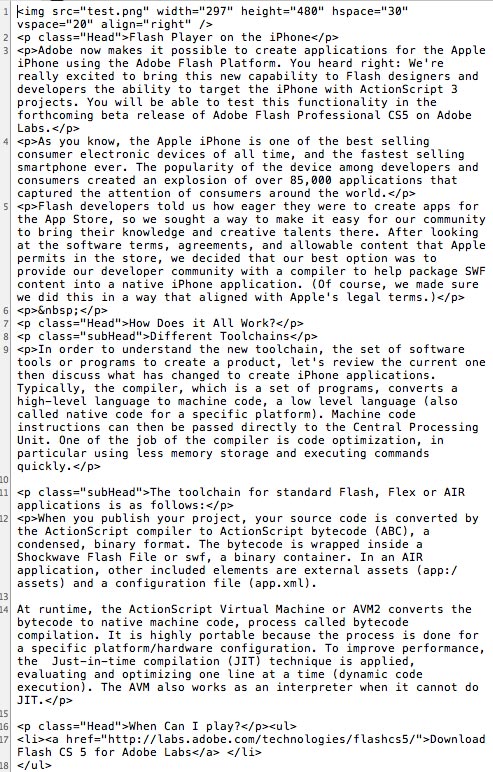
in the text file we are setting the text that will appear in the text filed, and will use the css properties that are defined in the styles.css first we are placing an image, and setting its properties, then we are creating a header(with the header property). Same procedure for the subHeader. When calling the css you always use p class”css property name”. For the text we just use the [p] my text[/p] Finally for the ordered list it is set with
[ul]
As you can see it is very simple, just link a basic webpage. In fact I could have done this with an html & CSS file.
Now for the fun part adding the interactivity with actionscript! Open the actions panel and lets get coding-
create a variables: to reference the text file

Create two variables for the URL Loaders(one for the text, and another for the CSS)

next we need to attach an Event Listener to listen for the loader to complete loading the URL.
- When the loading is completion we call the function doneLoading.
- Tell the textLoader to load our text file

Now we define the doneLoading function.
- Inside this function will associate the variable fileText with the data(the text file)
- Next we call a function callCSS
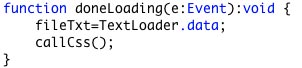
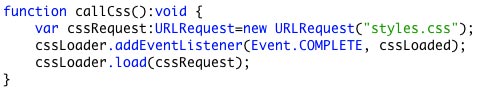
We Define the function callCss.
- Create a variable cssRequest and request the file styles.css
- Attach an Event Listener to the loading to complete on the URL request
- When the URL is done loading, call a function cssLoaded
- finally cssLoader will load the contents of the CSS file
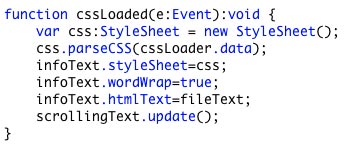
Finally we define the function cssLoaded
- create a variable css of type StyleSheet
- have the variable css parse the cssLoader loaded into the text filed
- apply the style to the text filed
- allow word wrapping for the text field
- load the variable fileText
- update the scroll bar





I just wonder how I learn flash cs4 well.I’ve been learning flash cs4,but i can’t reach the objective I’ve made before.So can U give me some advice in learning flash cs4?thanks