
Amazing CSS Buttons Tutorials
12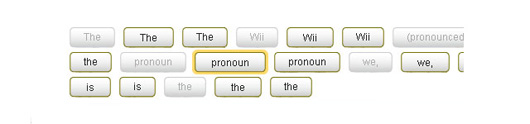
CSS enabled designers and developers to create more intelligent design styles that can be easily edited fast and with less efforts.
In this post, I would like to share with you some of the amazing CSS templates fro buttons and its cases. In addition to these buttons, you can download Free CSS Layouts And Templates.
If you like this post, do not forget to share it with your friends and social networks, and you can join our news feed here for regular updates notifications.
Tutorial – CSS Pre-Load Hover Buttons

This tutorial will come in a series of steps, since the player control panel is a combination of a few different controls.
3D CSS buttons
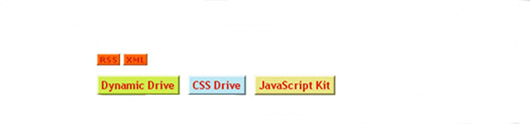
By using an element’s border-style CSS attribute to outset, you can easily create a 3D looking button. Taking it one step further the button can also appear depressed if desired, by switching from a border-style value of outset to inset. The below examples are 100% CSS based, not to mention lightweight.
Scalable CSS Buttons Using PNG and Background Colors
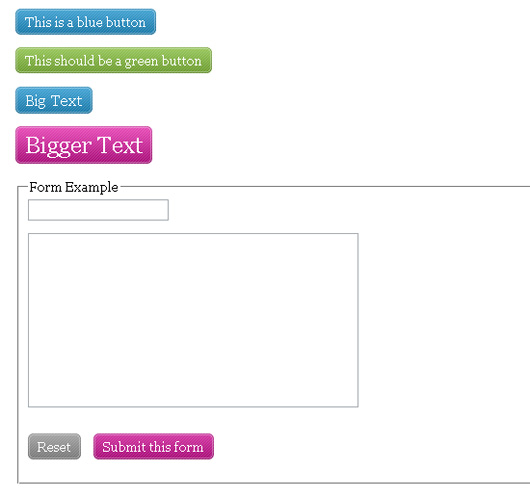
In this article we will use PNG images for adding shades and corners to the buttons. PNG’s are great because you have 256 levels of alpha transparency compared to only 1 using GIF. Unfortunately, Internet Explorer 6 and down has a hard time understanding PNG transparency, especially as background images in CSS, except when using a number of filters and microsoft-specific javascript querys. Even then, it doesn’t do the job like modern browsers. Fortunaly, IE7 supports PNG all the way, which means that we can already now start to integrate it in our web designs as long as things degrades nicely.
Free Big Css Button The Sliding doors technique- Free CSS Menus
Big Css Buttons,Sliding doors technique. For Quality Css rollover menus, buttons and image animations.Now that really is a big button. This css demonstration is visual, practical and user accessible. The button may use an image to look better than basic text, but essentially its just a hyperlink, which uses css styles to make it look cool. This is an example of the sliding doors technique (1 image). You could use two separate images instead, but that would cause slow down upon the hover state. Using one image means that the image has already loaded and only needs to be re-positioned upon the hover state.
Tested Browsers: AOL 9, Firefox 3.0.1, Opera 9.10, IE 7
Bold CSS Buttons

These big, bold CSS buttons are constructed using a rounded edge button image sliced into two pieces, then put back together using CSS. The button text style reacts on the “hover” state.
CSS Oval buttons
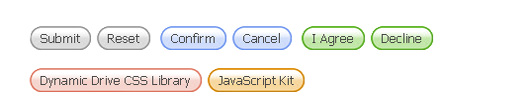
These buttons use the sliding doors technique of CSS, plus two sliced background images with “on” and “off” states, to create flexible oval shaped CSS buttons, similar to CSS Square Buttons. Each button can accommodate text of variable widths and supports a hover effect when the mouse rolls over it. The only limitation is the height of the button, which is fixed based on the background image’s height.
CSS Square buttons
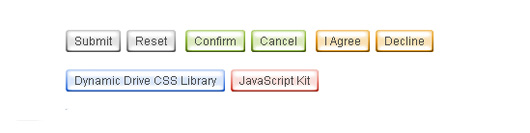
These buttons use the sliding doors technique of CSS, plus two sliced background images with “on” and “off” states, to create flexible glossy looking CSS buttons. Each button can accommodate text of variable widths and supports a hover effect when the mouse rolls over it. The only limitation is the height of the button, which is fixed based on the background image’s height.
CSS Sliding Door using only 1 image
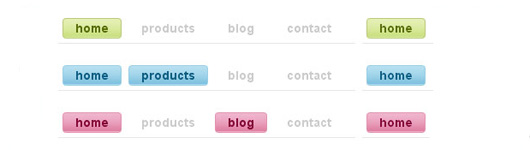
After you learn how to creat CSS Sliding Door using only 1 image .you will be able to Download the psd .
How to make sexy buttons with CSS
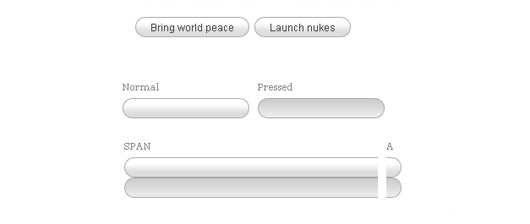
This tutorial will teach you how to create pretty looking textual buttons (with alternate pressed state) using CSS. Dynamic buttons save you heaps of time otherwise spent creating graphics and will basically make you a happier person at the end of the day.
Simple Round CSS Buttons ( Wii Buttons )
This tutorial teaches us how to create rounded corner buttons with only One Image and One CSS file. Users can see different state of the buttons, e.g. disabled, mouseover and mouseout state. So that the users can feel more interactive with the website or web application. We can also use this technics to create Wii-like buttons.
Requirements: Internet Explorer 5.5+, Safari 2, Firefox 1.5+, Opera 9.
Sexy CSS Hover Button


This tutorial teaches us how to create a Sexy CSS Hover Button.
Liquid & Color Adjustable CSS Buttons

When working on a large site with multiple buttons, it can be quite tedious to make all the buttons in Photoshop. Making future adjustments on the verbiage and colors can be also be time consuming.
By having dynamic buttons, this scenario is much easier to handle, and by having liquid and color adjustable buttons with CSS, we are able to change the verbiage and colors in a flash.

[…] Original post: Amazing CSS Buttons Tutorials | Flash, Design, Vector, Photoshop … […]
[…] More: Amazing CSS Buttons Tutorials | Flash, Design, Vector, Photoshop, Adobe Tutorials | GraphicMania.net […]
[…] the rest here: Amazing CSS Buttons Tutorials | Flash, Design, Vector, Photoshop … […]
Amazing CSS Buttons Tutorials…
I would like to share with you some of the amazing CSS templates fro buttons and its cases.
…
[…] I continue to share CSS resources and in addition to the CSS buttons collection, I would like to share with you number of most used amazing CSS menus […]
[…] this article: Amazing CSS Buttons Tutorials | Flash, Design, Vector, Photoshop … Share and […]
[…] CSS Buttons Tutorials Less graphics = more speed […]
[…] Amazing CSS Buttons Tutorials […]
Nice post. Thanks for sharing!
I can’t wait to use this on my up and coming project. Thank you for a wonderful Tutorial.
cool, looking forward to see what you will come up with 😉
Nice collection, here is another one: http://www.freewebelements.com/css3-web-button-tutorial/